 Morning Manna
One chapter, one morning, one group.
A Morning Manna group wakes to the same chapter of the Bible each weekday. You add a word for the day and the week, pick extra chapters just for your group, and everyone can share their thoughts. Quietly, with nobody keeping score.
“For where two or three gather together in My name, there am I with them.”Matthew 18:20
Everything your group shares, in one quiet room.
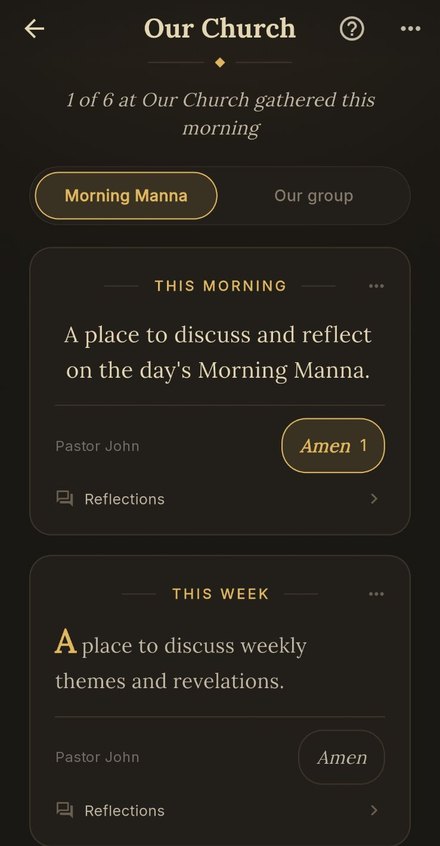
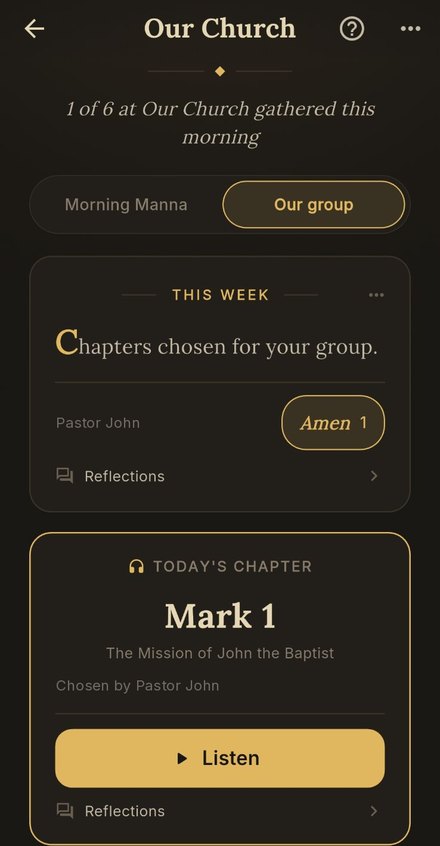
Open a group from the Groups card on the Home screen. The page has two sides, Morning Manna and Our group, so the day's chapter and the things you pick for your group never get mixed up. The first time anyone opens it, the app shows them around. The ? at the top shows them around again.
The same chapter each morning
Every member's alarm plays the same chapter each weekday, read word for word. The top of the page shows how many listened, never who. Small counts stay hidden, so nobody is singled out for a missed morning.
A word for the day and the week
On the Morning Manna side, you write a short thought for the day and one for the week: an encouragement, a question, a prayer. Write them ahead of time and they appear on the right morning.
Reflect together
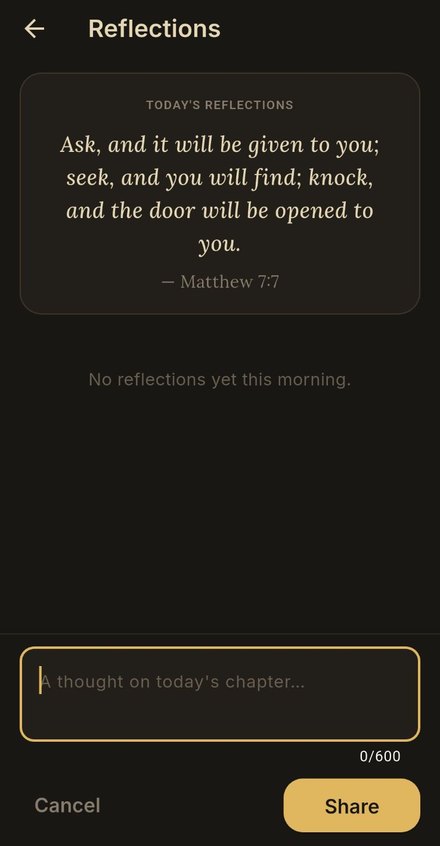
Under each note, members share a short thought of their own and answer each other with an Amen. It is not a chat or a feed. One room per day, about the chapter you all heard.
Chapters you choose
On the Our group side, pick a chapter for any day, one day at a time or the rest of the week in one go, and add a note for the week. Members tap Listen and hear it in the app, with its own place to share thoughts.
What your group sees
Starting a group
Starting and leading a group is part of Premium. Joining one is always free. Members need no account and no card.
Create it
On the Home screen, open the Groups card → Start a group, and give it a name your members will know.
Share the code
Your group has a short invite code that never changes. Share it from the group page, or show its QR code. Anyone who scans it lands on the join page.
Write the first word
Tap Daily or Weekly under “Write for your group”. A sentence or two is plenty; members read it with their coffee.
Pick a chapter
Switch to Our group and tap Chapters to choose what your group hears this week. The book you're preaching through, or Sunday's reading.
Ideas that work
Read the code out loud
Announce the code on Sunday and put the QR on the welcome table or in the bulletin. Most people join in the moment, on the phone already in their hand.
Walk with the sermon
Pick the week's chapters from the passage you will preach. Your people arrive on Sunday having already heard it.
Ask one question
A weekly note that ends with one question gets more replies than a long one. Leave room for people to answer.
Keep it gentle
The app never shows who listened and who didn't, and neither should anyone else. Celebrate the mornings people come; never chase the ones they miss.

Bringing a whole church along?
Churches, ministries and families can give every member of their group Premium for the year, so everyone hears the new chapter every weekday. Members still just join with your code.
Church offices can find the details on our Churches & groups page, or email us with any question.